Speak the way you actually talk.
Kal ki meeting shift kar do, I'll send the deck tonight.
English, Hinglish or Tanglish, switched mid-sentence. Transcribed on your Mac, and only your Mac. Ploca writes it at your cursor, in any app.
{{ heroLine }}
Apple Silicon · macOS 26 or later
Ploca is a Mac app. Tap Try it for free and we will email the download link to open on your Mac.
Watch it work.
Local-first. Private by architecture.
Four steps. Your voice never leaves your Mac.
Listen
Hold your key and speak.
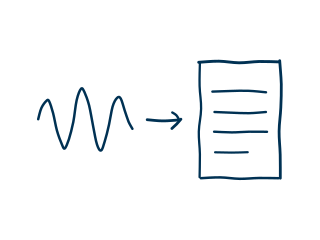
Transcribe
On your Mac, offline.
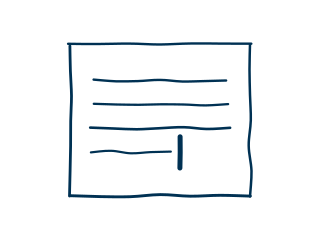
Type
Clean text at your cursor.
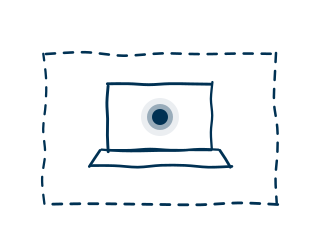
Stay put
Your voice stays on the machine.
Privacy that is structural, not promised.
Most apps ask you to trust a privacy policy. Ploca removes the need for trust. No code writes your audio to disk or sends your transcripts anywhere. Telemetry was never built.
Honest about where we differ.
Wispr Flow is the polished cloud tool. Apple Dictation is already on your Mac. Here is where Ploca stands apart, and where it does less.
| Ploca | Wispr Flow | Apple Dictation | |
|---|---|---|---|
| Runs fully on-device | |||
| No cloud path at all | Server path for some languages | ||
| Works offline | |||
| No screen or keylogger access | |||
| Tuned for Tanglish and Hinglish | |||
| Leaves your words as you said them | |||
| Snippets and vocabulary | Dictionary only | Text replacements only | |
| Price | {{ comparePrice }} | $15 / mo | Free with macOS |
Ploca is Apple Silicon only, on macOS 26 or later. If you are on Windows or an Intel Mac, Ploca is not your tool.
Checked against their public pages in September 2026. Terms change, so check for yourself.
What Ploca deliberately does not do
- Cloud models. Not at any tier.
- Rewriting your words. What you said is what appears.
- Per-app modes. The defaults are the product.
- Windows, Intel Macs, mobile. One platform, done well.
Built for people who think in sentences.
- Writers drafting essays, newsletters, and books.
- Journalists capturing interviews and field notes.
- Vibe coders thinking out loud with Claude or Cursor.
- Founders getting thoughts down between meetings.
- Clinicians and therapists who cannot send notes to the cloud.
- Anyone who values privacy over polish.
A wall of love.
"Ploca runs inference entirely on-device, so no audio sits in someone else's servers. It doesn't fall apart when I switch to Tanglish mid-sentence, and latency is low enough that I have stopped noticing it."
"Super fast transcription that helps with my brainstorming sessions with AI."
"Ploca has been a fantastic addition to my daily workflow. Where it stands out most is how cleanly it captures Indian English and conversational Tamil, and all of this working locally on macOS is a game changer."
Launch prices, while they last.
{{ halfLine }}
Every plan starts with the same 7-day free trial on your Mac. No email, no card.
Monthly
{{ monthlyQual }}
{{ monthlyLeft }} of {{ monthlyCap }} left at this price, then {{ monthlyFull }} a month
- One Mac.
- Renews every month. Cancel any time, and Ploca works to the end of the month you paid for.
- Every update included.
Standard
{{ plocaQual }}
{{ plocaLeft }} of {{ plocaCap }} left at this price, then {{ plocaFull }} once
- Up to two Macs.
- A year of updates, then that version is yours for good.
- Pay once. It never renews.
Lifetime Best value
{{ lifeQual }}
{{ lifeLeft }} of {{ lifeCap }} left at this price, then {{ lifeFull }} once
- Up to two Macs.
- Updates for life.
- Pay once. It never renews.
Prices in US dollars. Your 7-day trial is the time to decide: Monthly is not refunded, and Standard and Lifetime are refundable within seven days when bought without using the trial. Read the refund terms.
Get Ploca
Ploca is a Mac app, so there is nothing to install where you are standing. Leave your email and we will send the download link for your Mac.
{{ getMsg }}
One email with your link, plus occasional notes when Ploca ships something new. Never linked to your dictation, which stays on your Mac.